---
title: "Your Loyalty Email Checklist: 7 Things to QA Before You Hit 'Send'"
description: Ensure your loyalty emails are polished and effective with this 7-point QA checklist, covering everything from spam filters to mobile optimization.
image: https://datacandy.com/hubfs/Imported_Blog_Media/Frame%2040%20(10)-2.jpg
---
[Skip to main content](https://datacandy.com/resources/your-loyalty-email-checklist-7-things-to-qa-before-you-hit-send#main-content)
- Platform
- [### Gift Cards
Attract new customers and see impressive returns by selling gift cards.
](https://datacandy.com/platform/gift-cards)
- [### Loyalty Program
Boost customer spending and drive repeat visits.
](https://datacandy.com/platform/loyalty-program)
- [### Automated Offers
Drive repeat business with automated offers sent at the perfect time.
](https://datacandy.com/platform/automated-offers)
- [### Reviews
Easily get more customer reviews, referrals, and digital word of mouth.
](https://datacandy.com/platform/reviews)
- [### Insights
Track the health and ROI of your gift card and loyalty programs.
](https://datacandy.com/platform/insights)
- [### Social Rewards
New
Reward your members for taking action on social media.
](https://datacandy.com/platform/social-rewards)
- [### Mobile Apps
New
Launch a branded smartphone app for points, rewards, and offers.
](https://datacandy.com/platform/mobile-apps)
- [ For large businesses
### DataCandy PRO
Enterprise power for high volume, multi-location businesses.
](https://datacandy.com/pro)
### [How does it work? 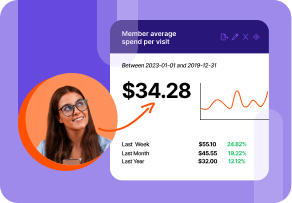 Take a peek under the hood to see how DataCandy's gift & loyalty platform can benefit your business. Watch a demo](https://datacandy.com/how-does-datacandy-work)
- Learn More
### [How to Create Customer-Driven Growth -Feb-25-2026-07-19-46-9712-PM.png) Guide: How to Start a Gift Card Program for Small Business Learn more](https://datacandy.com/resources/how-to-create-a-gift-card-program-for-small-business)
- Industries
- [### Health & Wellness
Ideal for spas, gyms, massage clinics, fitness studios, and more.
](https://datacandy.com/health-wellness)
- [### Retail
Ideal for grocery stores, boutiques, e-commerce retailers, and more
](https://datacandy.com/retail)
- [### Restaurant
Ideal for cafes, pubs, quick-service restaurants, and more.
](https://datacandy.com/restaurant)
- [### Gas & Convenience
Ideal for gas stations and convenience stores.
](https://datacandy.com/gas-convenience)
- [ For large businesses
### DataCandy PRO
Enterprise power for high volume, multi-location businesses.
](https://datacandy.com/pro)
### [Curious about your loyalty revenue potential? 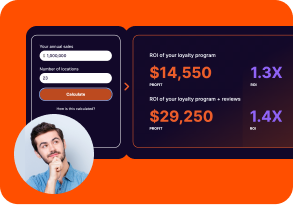 Find out how much your loyalty program could earn with our ROI calculator. Use our ROI calculator](https://datacandy.com/loyalty-roi-calculator)
- [ Integrations ](https://datacandy.com/integrations)
- [ Pricing ](https://datacandy.com/pricing)
[ Login ](https://app.datacandy.com/auth/login) [ Get Started ](https://datacandy.com/sign-up-loyalty-program)
[**
Blog
•
](https://datacandy.com/resources/tag/blog) [ Loyalty Programs ](https://datacandy.com/resources/tag/loyalty-programs)
# Your Loyalty Email Checklist: 7 Things to QA Before You Hit 'Send'
###### [Elaine Pu](https://datacandy.com/resources/author/elaine-pu)
•
5 min read
** ** **
We’ve all been there. You hit send, breathe a sigh of relief, and move on with your day…only to spot a typo hours later.
That moment is never fun, and it stings even more when you realize it was that email you sent out to thousands of subscribers. Now you’re quietly spiraling because that one small mistake can mean unsubscribes, confusion, and likely some secondhand embarrassment. Well, the good news is that a quick round of quality assurance and a bit of double-checking can save you from that stress entirely.
Before you hit send, here are 7 things worth reviewing to make sure your email looks polished, professional, and ready for inboxes everywhere.
## **1. Make Sure You’re Not Triggering Spam Filters**
Even the best email won’t drive results if it never reaches the inbox. Certain words, formatting choices, or image-heavy designs can raise red flags and send your message straight to spam.
Double-check that:
- **Your**** [subject line](https://datacandy.com/resources/subject-line-secrets-5-formulas-for-higher-loyalty-email-open-rates)**** avoids spammy language:** Steer clear of phrases like *“FREE!!!,” “ACT NOW,” “Guaranteed,”* or *“Limited offer $$$,”* which can trigger spam filters and turn readers off.
- **You’re not using all caps or too many exclamation points:** Writing like *“DON’T MISS THIS!!!!”* can feel aggressive and spammy. A calm, conversational tone is far more effective.
- **Your sender name looks familiar and trustworthy:** Use a clear, consistent sender name like “DataCandy” or “DataCandy Rewards,” not something vague like “Marketing Team” or “No-Reply.” Send from a real domain (like hello@datacandy.com) instead of a generic address, which helps build trust and improves deliverability.
Keeping things clear, honest, and human helps your emails land where they belong: in the inbox.
## **2. Check That Personalization Is Displaying Correctly**
Personalization is one of the easiest ways to make your emails feel thoughtful and relevant, but it only works if it’s set up correctly.
When it’s done right, seeing your name, points balance, or recent activity in an email makes it feel like the message was crafted just for you. On the flip side, a misfire (like an email that says, *“[First Name], we have a special gift just for you!*”) breaks the illusion instantly. Not only does it feel impersonal, it can confuse or even frustrate the customer.
Always test your emails to make sure:
- Names, points balances, and rewards are populating correctly
- Fallback text is set up properly (That way, if a detail like a first name isn’t available, the message still reads naturally. Something like,* “Hey, we have a reward for you!*” instead of an awkward blank or placeholder.)
- Dynamic content appears exactly as intended
## **3. Your Links and CTAs Work Properly**
Few things kill trust faster than a broken link. When someone clicks your *“Redeem Now”* button and it leads nowhere, that moment of excitement disappears fast. Most customers won’t try again or hunt down the page on their own. Instead, it feels frustrating and leaves a bad impression.
Before hitting send, take a minute to test every link in your email, including:
- Your main CTA button
- Social media links in the footer
- Your logo, if it links to a landing page
- Any links to blogs, guides, or other resources
A quick link check helps ensure every click leads exactly where you want it to and keeps customers moving smoothly from inbox to action. Also remember to use anchor text that accurately describes the destination and avoids vague or spam-sounding phrases like *“Click here!” *
## **4. Images Are Displayed Properly**
Images can do a lot of heavy lifting in an email. They help break up text, reinforce your message, and make your content more visually appealing and easier to scan. That said, images only work if they’re set up properly.
Before hitting send, double-check that:
- **Images load correctly:** Make sure every image displays properly across devices and inboxes so readers don’t see broken icons or empty spaces.
- **Images are properly sized:** Optimize image dimensions and file sizes so your email loads quickly and looks great on both desktop and mobile.
- **Alt text is included:** Add clear, descriptive alt text so your message still comes through if images don’t load and to improve accessibility for all readers.
- **Images and text are balanced:** Avoid sending emails that are one giant image with no supporting text. A healthy mix helps with deliverability and ensures your message still lands even if images don’t load.
When done right, images enhance your email instead of distracting from it, helping your message land clearly and confidently every time.
## **5. Follow Privacy and Compliance Best Practices**
Respecting your customers’ privacy isn’t just the right thing to do, it’s a legal requirement. Regulations like GDPR and Canada’s CASL ([Canadian Anti-Spam Legislation](https://laws-lois.justice.gc.ca/eng/acts/E-1.6/index.html)) set strict rules around consent and communications, with CASL fines reaching up to $10 million per violation for businesses.
Be sure to review the complete set of regulations, but here are a few examples to get you started:
- **Include a clear unsubscribe option:** Every email should make it easy for recipients to opt out. This isn’t just about compliance, it builds trust with inbox providers and shows customers you respect their preferences.
- **Honor opt-out requests promptly**: Unsubscribe requests must be processed quickly. Under CASL, businesses have up to 10 days, but best practice is to remove contacts immediately to avoid frustration and complaints.
- **Protect customer data: **Use secure platforms, safeguard stored information, and restrict access internally. A data breach can damage both your reputation and legal standing.
Simply put, skipping over privacy rules isn’t like sending a typo, it can come with a hefty price tag. That’s why it’s always worth double-checking your compliance before hitting send.
## **6. Send to the Right Segment**
Not every email is meant for every customer. When the message doesn’t match the audience, it can feel confusing or even off-putting. Segmentation helps ensure your emails land with the right people and actually make sense in their context.
Imagine being a regular at your local coffee shop and receiving an email that says, *“We miss you! Come back to redeem your special discount.”* If you were just there yesterday, that message feels awkward and disconnected. This is exactly what happens when a win-back campaign meant for at-risk customers gets sent to your most loyal fans.
Before hitting send, double-check that:
- [Win-back offers](https://datacandy.com/resources/how-to-set-up-a-lights-out-promotion-that-runs-on-autopilot) are going to lapsed or low-frequency customers
- VIP rewards are reserved for your most loyal members
- First-time incentives are only sent to new customers
Sending the right message to the right segment keeps your emails relevant, builds trust, and helps every campaign perform better.
## **7. Mobile and Desktop Optimized**
Before hitting send, send yourself a test email and check it across devices and apps (including iPhone, Android, and desktop clients like Outlook and Gmail) to make sure everything looks right everywhere.
This quick check helps catch layout issues and ensures a smooth experience for every reader.
Things to look out for include:
- **Text is easy to read:** Fonts are legible, line spacing feels comfortable, and nothing looks cramped on mobile.
- **Buttons are easy to tap:** CTAs are large enough and spaced well so they’re clickable on smaller screens.
- **Images scale properly:** Images resize correctly and don’t get cut off or distorted.
- **Layout holds up:** Columns stack nicely on mobile and nothing breaks or overlaps.
An email that looks good everywhere removes friction and makes it easier for customers to take action.
## **Final Thoughts**
With a quick pass through this checklist, you can catch mistakes before your email lands in thousands of inboxes. From deliverability and personalization to links, images, segmentation, and mobile optimization, each step helps ensure your loyalty emails feel intentional, trustworthy, and easy to act on.
Bookmark this checklist, build it into your send routine, and give every campaign the confidence it deserves. A few extra minutes of QA now can save you from stress later.
Want to take your emails one step further?
Read our full guide on how to segment your customers in order to send smart loyalty email campaigns.
[ Read More ](https://datacandy.com/resources/how-to-segment-your-loyalty-audience-for-smarter-email-campaigns)

Elaine Pu
Elaine is a content marketer at the Paystone brands. She likes thrifting, baking and scrapbooking.
Like what you see? Share with a friend.
** ** **
- ### Platform
- [ Gift Cards ](https://datacandy.com/platform/gift-cards)
- [ Customer Loyalty ](https://datacandy.com/platform/loyalty-program)
- [ Automated Offers ](https://datacandy.com/platform/automated-offers)
- [ Social Rewards ](https://datacandy.com/platform/social-rewards)
- [ Insights ](https://datacandy.com/platform/insights)
- [ Reviews ](https://datacandy.com/platform/reviews)
- [ DataCandy Pro ](https://datacandy.com/pro)
- [ Integrations ](https://datacandy.com/integrations)
- [ Pricing ](https://datacandy.com/pricing)
- [ Get Started ](https://datacandy.com/sign-up-loyalty-program)
- ### Resources
- [ Resource Hub ](https://datacandy.com/resources)
- [ Blog ](https://datacandy.com/resources/tag/blog)
- [ Podcast ](https://www.builtbymepodcast.com/)
- [ Help Centre ](https://help.datacandy.com/en/)
- [ Become a Partner ](https://datacandy.com/partners)
- [ Product Status ](https://status.datacandy.com/)
- ### Company
- [ Contact us ](https://datacandy.com/contact)
- [ Careers ](https://www.paystone.com/careers)
- [ Terms of use ](https://datacandy.com/terms-conditions)
- [ Privacy Policy ](https://datacandy.com/privacy)
- ### Get in touch
- [
1-877-630-0478
](tel:18776300478)
- [
support@datacandy.com
](mailto:support@datacandy.com)
- 509 Commissioners Rd. W.
Unit 434
London, ON, N6J 1Y5
- Mon.-Fri.
9 a.m.-5 p.m. ET
- [ Login ](https://app.datacandy.com/auth/login)
- English Français
- 
- 
- 
- 
-
-
-
-
```json
{
"@context" : "https://schema.org",
"@type" : "BlogPosting",
"author" : {
"@type" : "Person",
"name" : "Elaine Pu",
"url" : "https://datacandy.com/resources/author/elaine-pu"
},
"dateModified" : "2026-04-21T17:23:13.187Z",
"datePublished" : "2026-04-21T17:22:58.000Z",
"headline" : "Your Loyalty Email Checklist: 7 Things to QA Before You Hit 'Send'",
"image" : [ "https://datacandy.com/hubfs/Imported_Blog_Media/Frame%2040%20(10)-2.jpg" ],
"mainEntityOfPage" : {
"@id" : "https://datacandy.com/resources/your-loyalty-email-checklist-7-things-to-qa-before-you-hit-send",
"@type" : "WebPage"
},
"publisher" : {
"@type" : "Organization",
"logo" : {
"@type" : "ImageObject",
"url" : "https://datacandy.com/hubfs/NiceJobLogo-Primary.svg"
},
"name" : "NiceJob, a Paystone Company"
}
}
```